 1 / 27
REFURBISHED
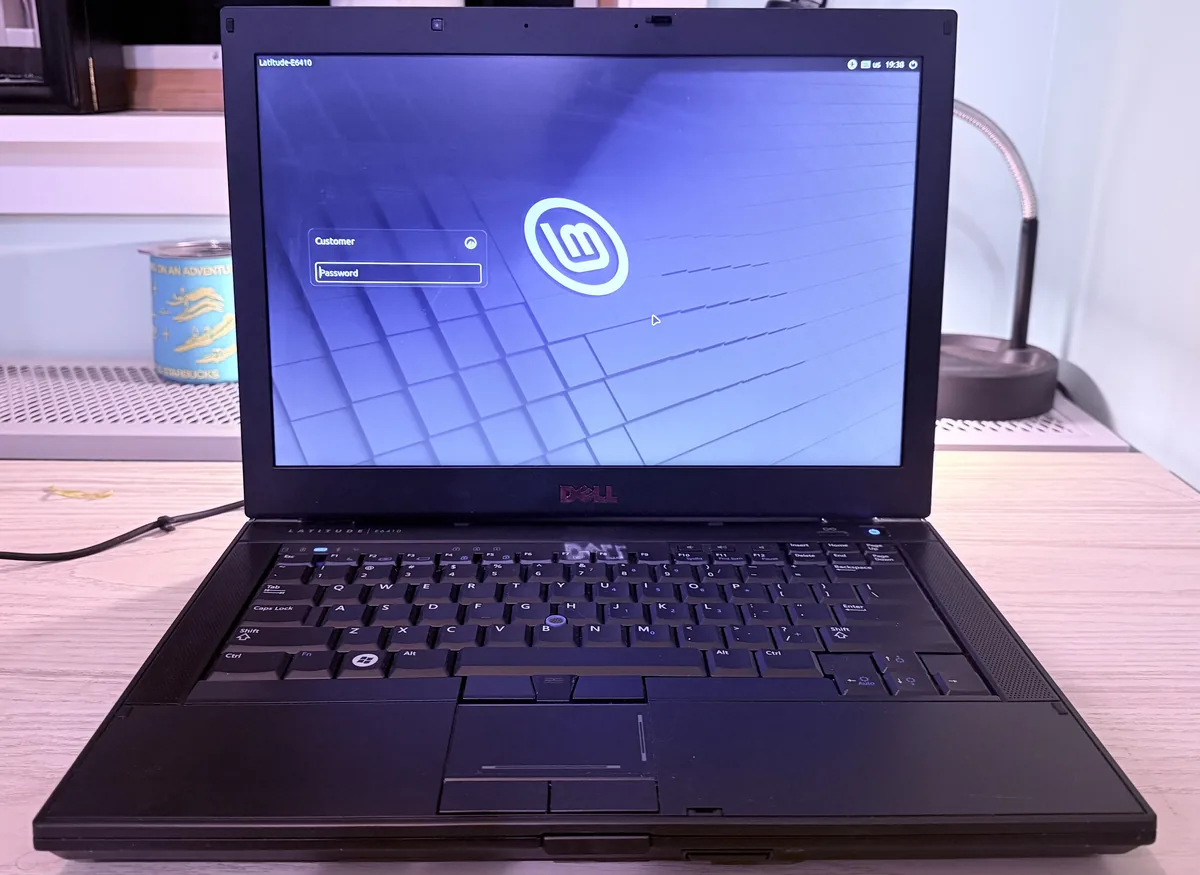
Dell Latitude E6410 i7 Q820 Quad-Core 16GB RAM 360GB SSD+HDD NVIDIA Linux Mint
$159.00$199.00LATE6410L
2 available
Adding to the cart does not reserve it. A unit belongs to whoever completes payment first.
- Shipping
- Free, ships from Washington
- Payment
- PayPal, card, or Zelle
Technical specification
Processor
Intel Core i7 Q820, Quad-Core, 8 threads, 1.73 GHz, up to 3.06Ghz Turbo
Memory
16GB RAM DDR3
Hard-Disk
360GB total:, 40GB SSD (operating system), 320GB HDD (/data partition)
Graphics
NVIDIA NVS 3100M
Display
14", 1280 x 800
Connectivity
Wi-Fi, DisplayPort
Operating system:
Linux Mint 22.3 Cinnamon, 64-bit
About this unit
This is not a stock E6410. It’s one of Dell’s first-generation Core i7 business laptops, restored and upgraded with one goal: to let a classic Latitude handle everyday computing as comfortably as a new machine does.
What went into this restoration
What it’s ready for
For everyday tasks, this machine keeps up with new laptops. For heavy gaming or professional video editing, a modern system is the better choice. Specifications
One more handmade job made with love by Fernando.Engineer for Gabriel Capeletto LLC, in support of digital inclusion and against forced obsolescence!
What went into this restoration
- Brand-new Intel Core i7 Q820 processor. A quad-core, 8-thread CPU (1.73 GHz base, up to 3.06 GHz with Turbo Boost, 8MB cache). It sits at the top of what this platform was designed to run.
- Memory upgraded to 16GB. Keep many browser tabs, office documents, and terminals open at the same time without the system slowing down.
- Dual-drive configuration for speed and capacity (360GB total). The operating system runs from a 40GB SSD, so the laptop boots and opens applications quickly. A separate 320GB hard drive holds a dedicated /data partition for your files, photos, and projects. Your data stays on its own drive, apart from the system.
- Linux Mint 22.3 Cinnamon (64-bit) installed. Linux Mint is widely recommended for older hardware and for people new to Linux. Cinnamon offers a familiar desktop layout with a taskbar, start menu, and system tray, so there is little to relearn. This release is supported with updates until 2029.
What it’s ready for
- Casual computing: web browsing, email, online shopping, banking, and video calls through the browser
- Entertainment and streaming: music and video streaming in full screen (see the photo of it playing a music video)
- Everyday workstation: office documents, spreadsheets, PDFs, and multitasking across many open windows
- Software development: code editors, scripting, Git, and terminal/SSH work, with 16GB of RAM for running several tools at once
- AI tools: AI chat assistants and other web-based apps
- Dedicated workflows: a reliable machine set aside for a single job
For everyday tasks, this machine keeps up with new laptops. For heavy gaming or professional video editing, a modern system is the better choice. Specifications
One more handmade job made with love by Fernando.Engineer for Gabriel Capeletto LLC, in support of digital inclusion and against forced obsolescence!